Redesigning the app teachers open every morning
Total Campus Solution · Aug 2021 to Jan 2022
- Role
- Product Designer, the only designer on the project
- Client
- Meshilogic
- Duration
- 6 months
- Platform
- Mobile app
- Scope
- Research, sketches, wireframes, creative direction
01The product
Total Campus Solution is Meshilogic’s platform for colleges and universities. It brings attendance, exam results, leave requests, and more into one web and mobile app.
Students, parents, teachers, staff, and administrators each get their own view, and see only what’s theirs.
I was the only designer on the mobile app, and I rebuilt it around the two jobs teachers do every day: marking attendance and checking exam results.
02The problem
The app hadn’t changed since 2016
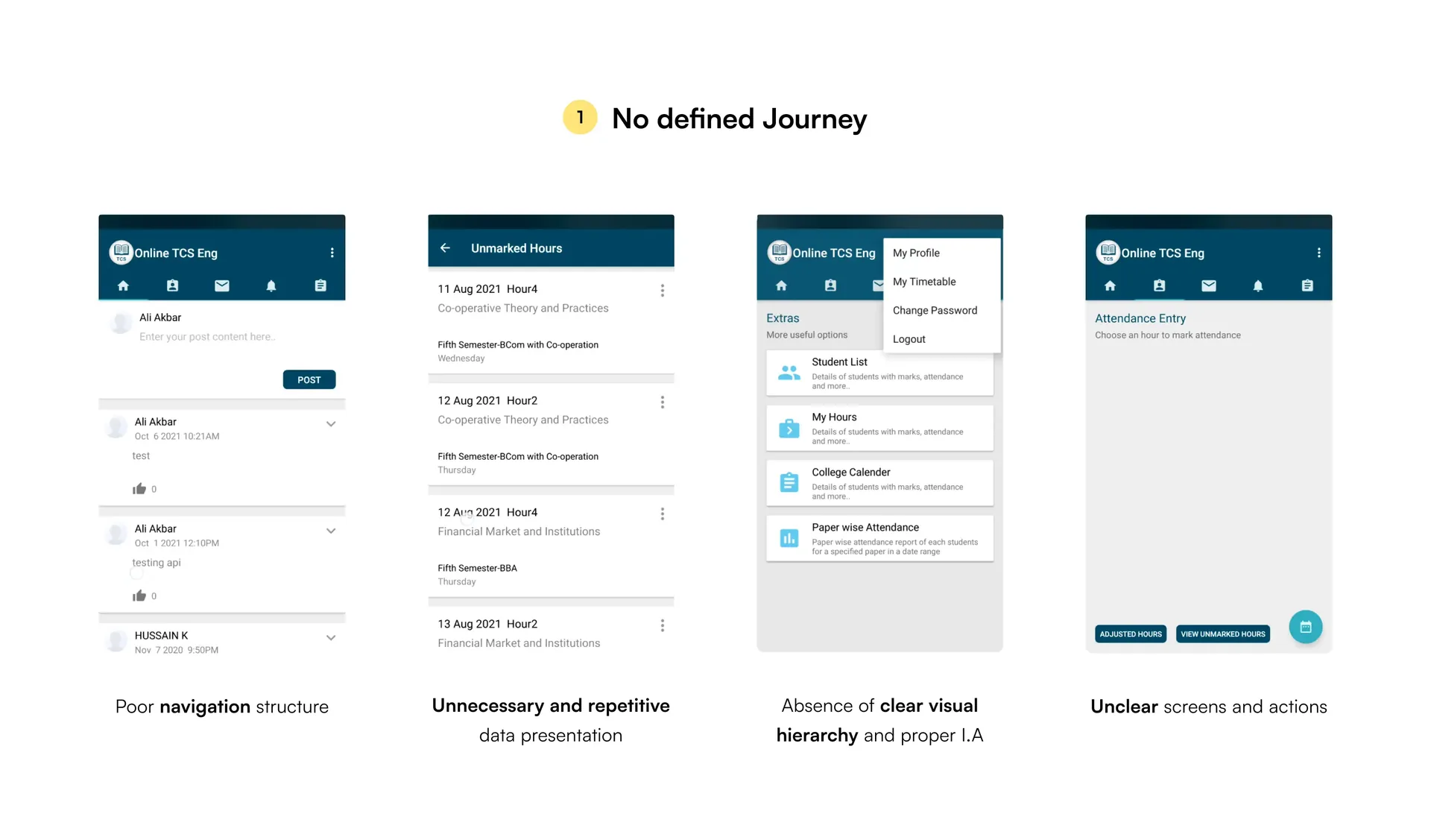
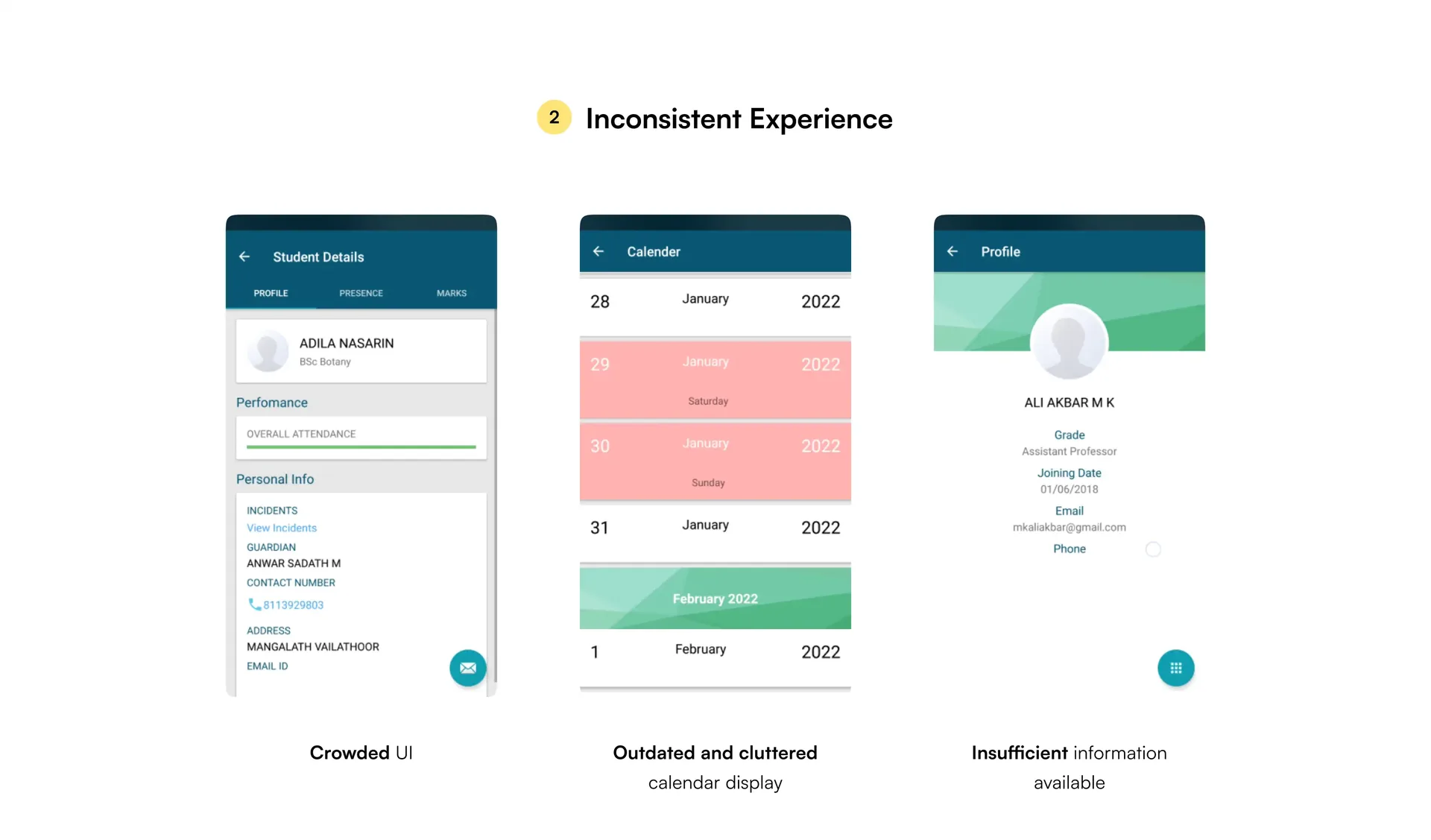
The mobile app existed to make a few daily jobs quick, mostly for teachers: marking attendance and checking exam results. But the experience had barely moved in five years, and finding your way to those jobs wasn’t obvious. Many people couldn’t tell what the app was for. [Input needed: keep this only if the research showed it]
03Research
I started by listening
As the only designer, the research was mine too. I went through the archive of client reviews, then sat down with users for face-to-face interviews. [Input needed: how many interviews, and who, e.g. teachers, students, admins]
The reviews showed what people complained about. The interviews showed why.
What I found
Three problems came up again and again.
-
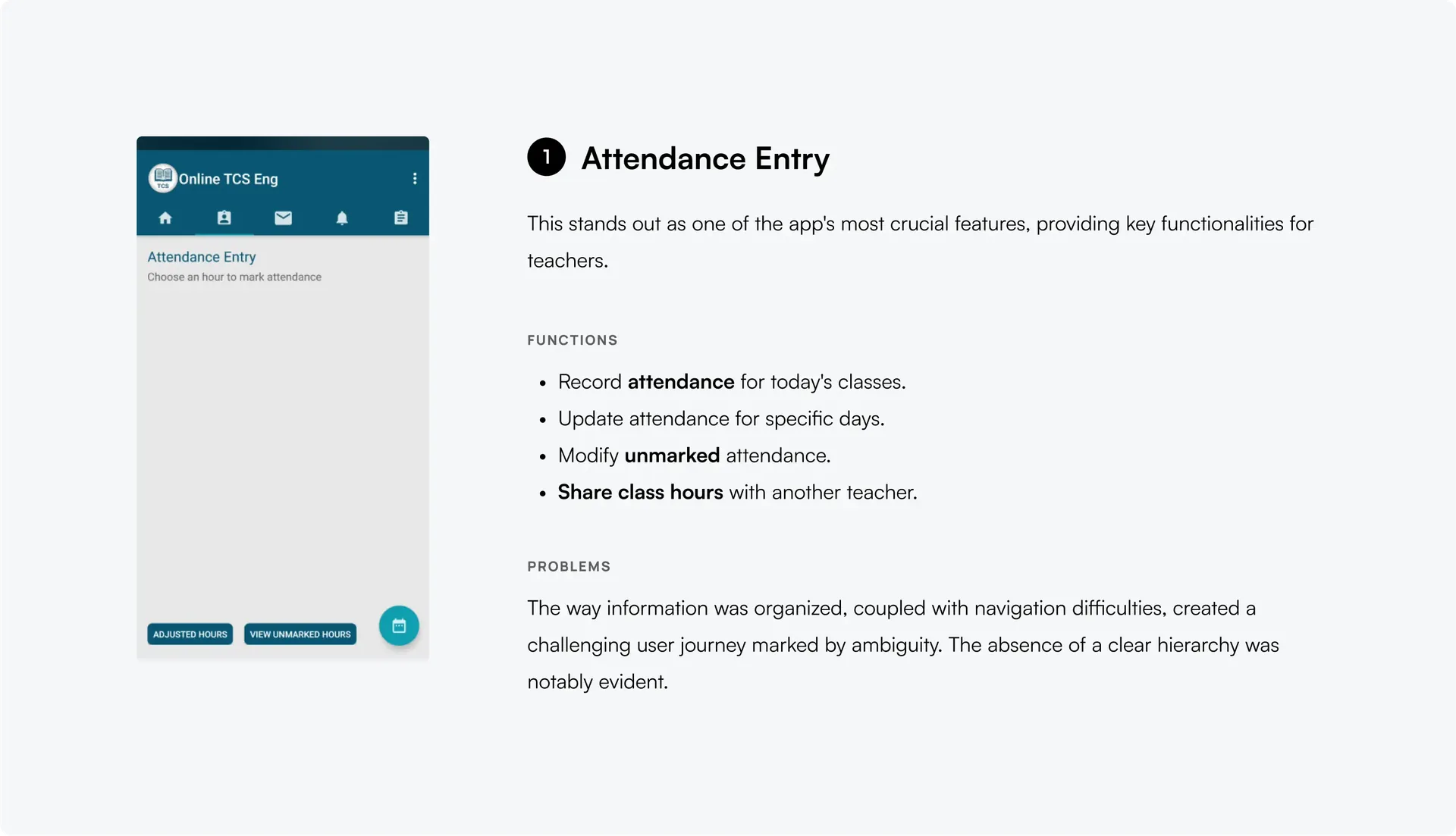
Attendance took too many steps [Input needed: confirm]
-
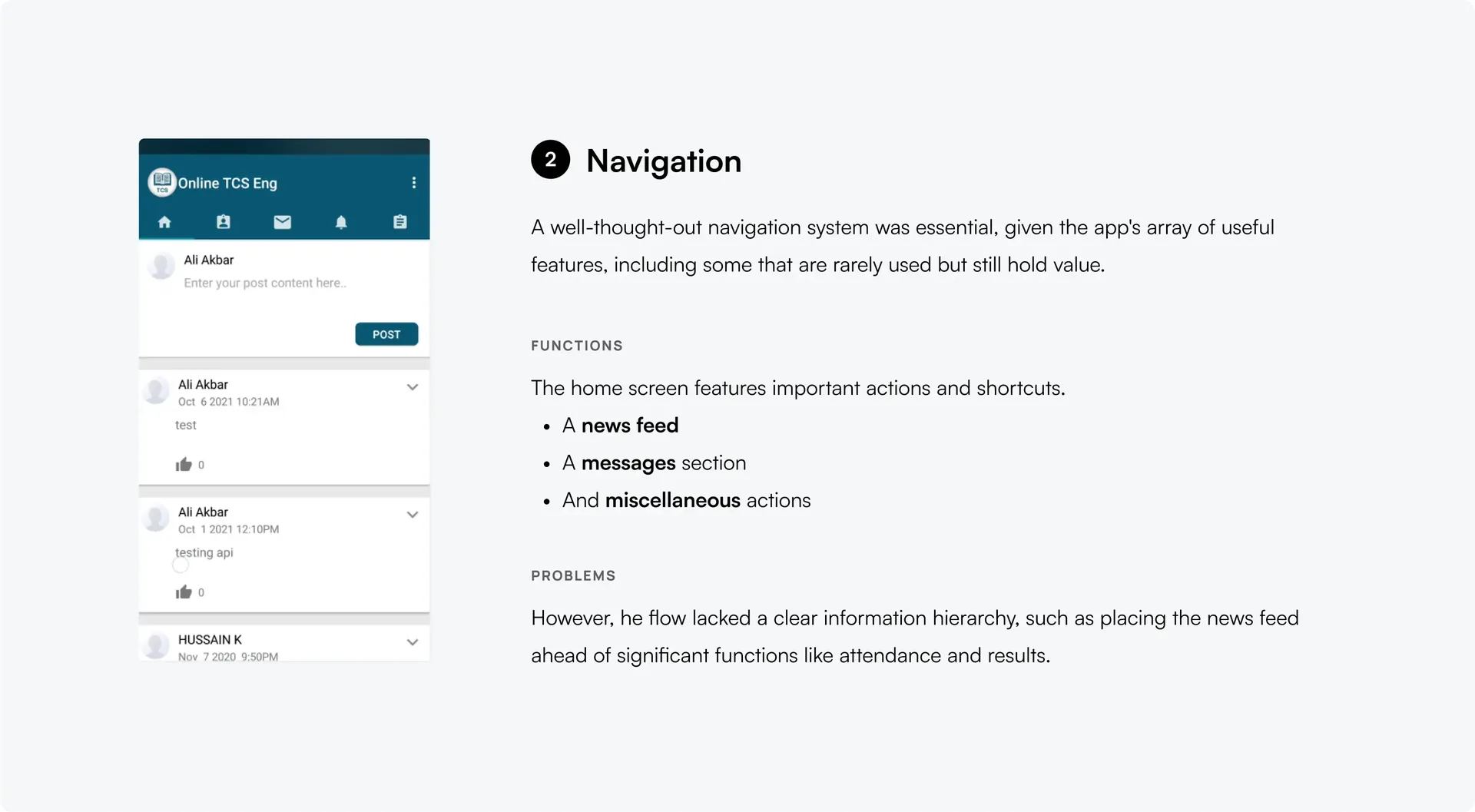
Hard to find your way around [Input needed: confirm]
-
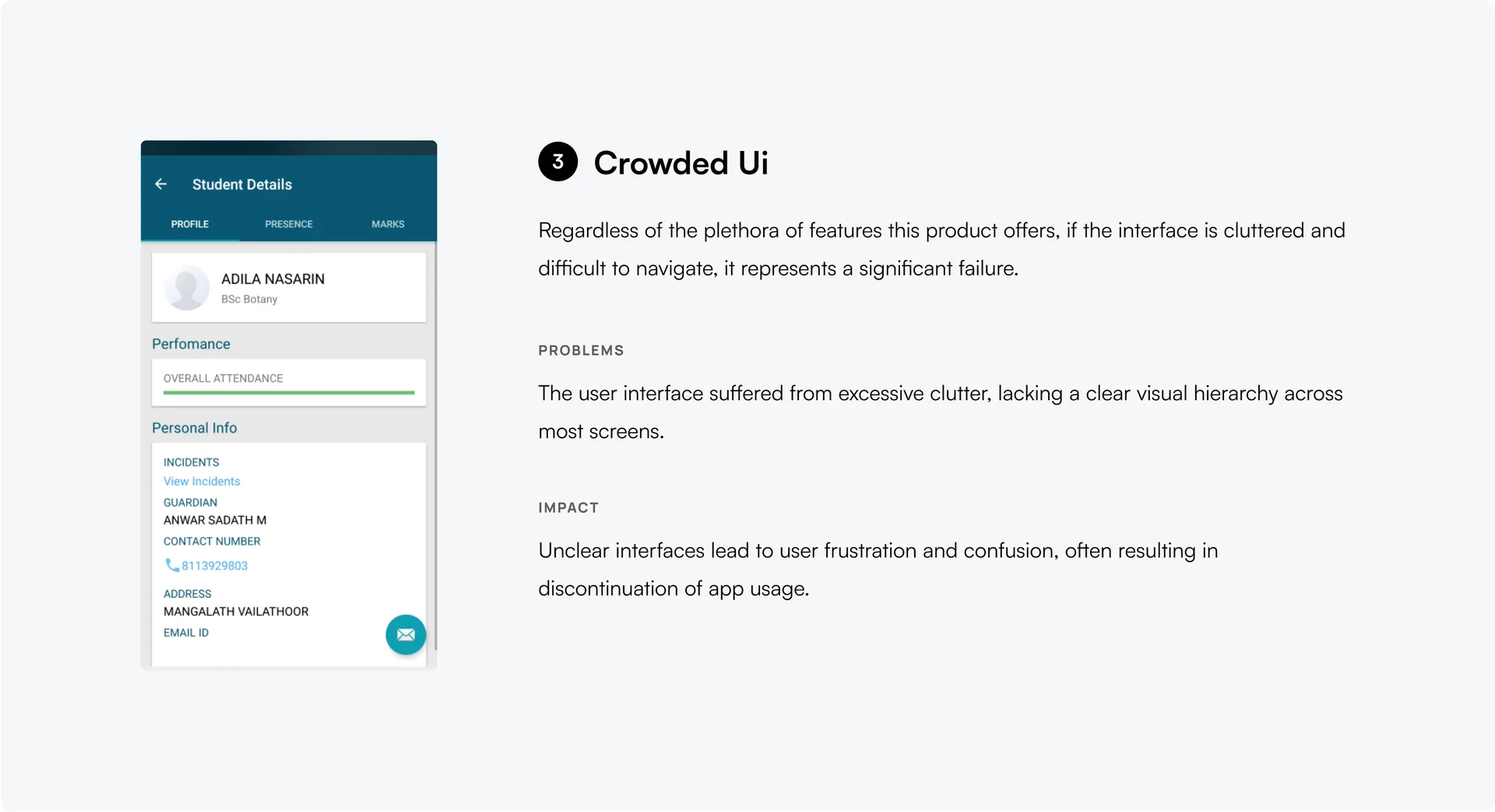
Too much on every screen [Input needed: confirm]
What the redesign had to do
-
Keep what earns its place
Use the research to decide which features matter, and cut the rest.
-
Make daily tasks quick
Attendance and results shouldn’t need detours or long procedures.
-
Less on every screen
Remove visual noise, so people can see what to do next.
04Sketches
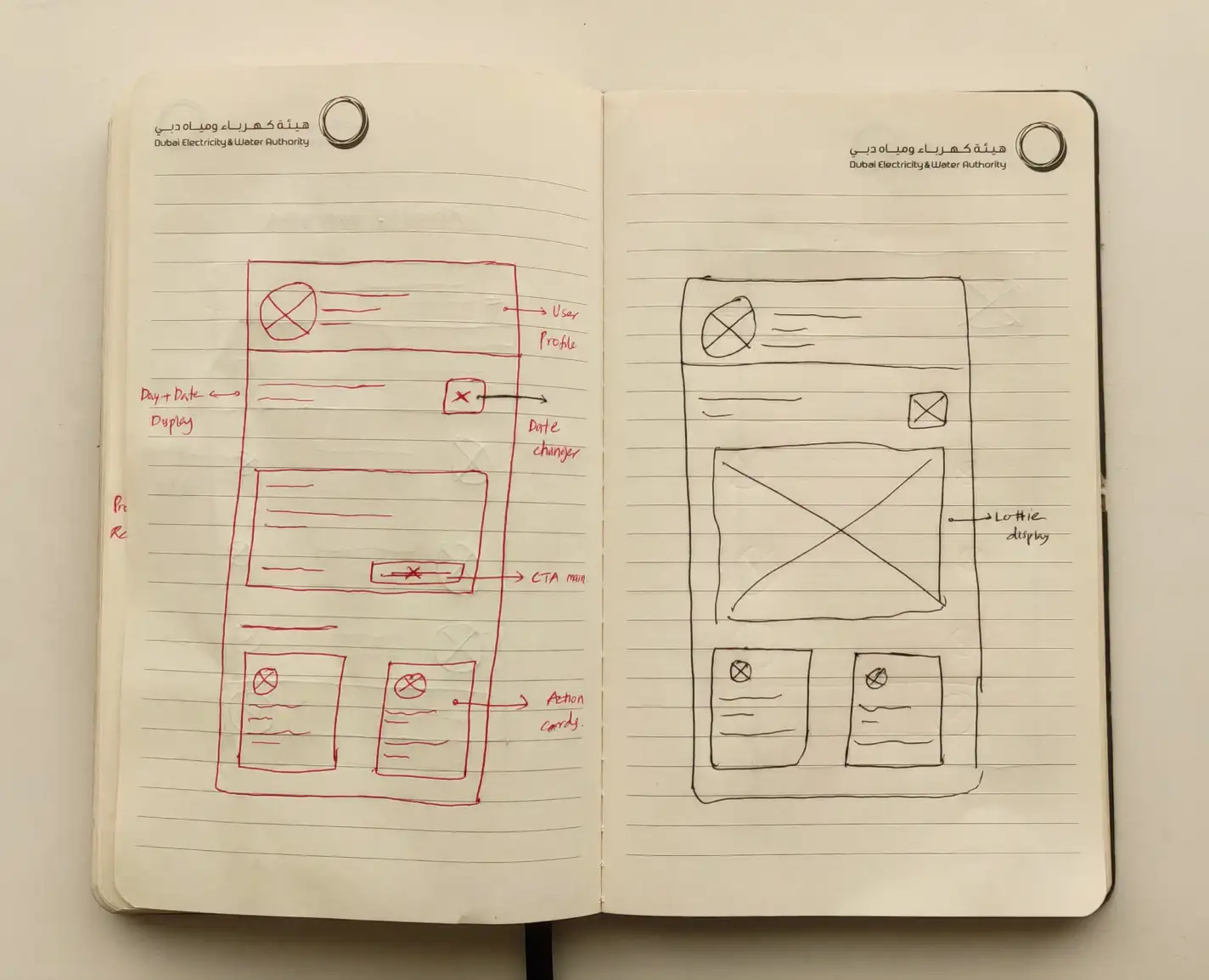
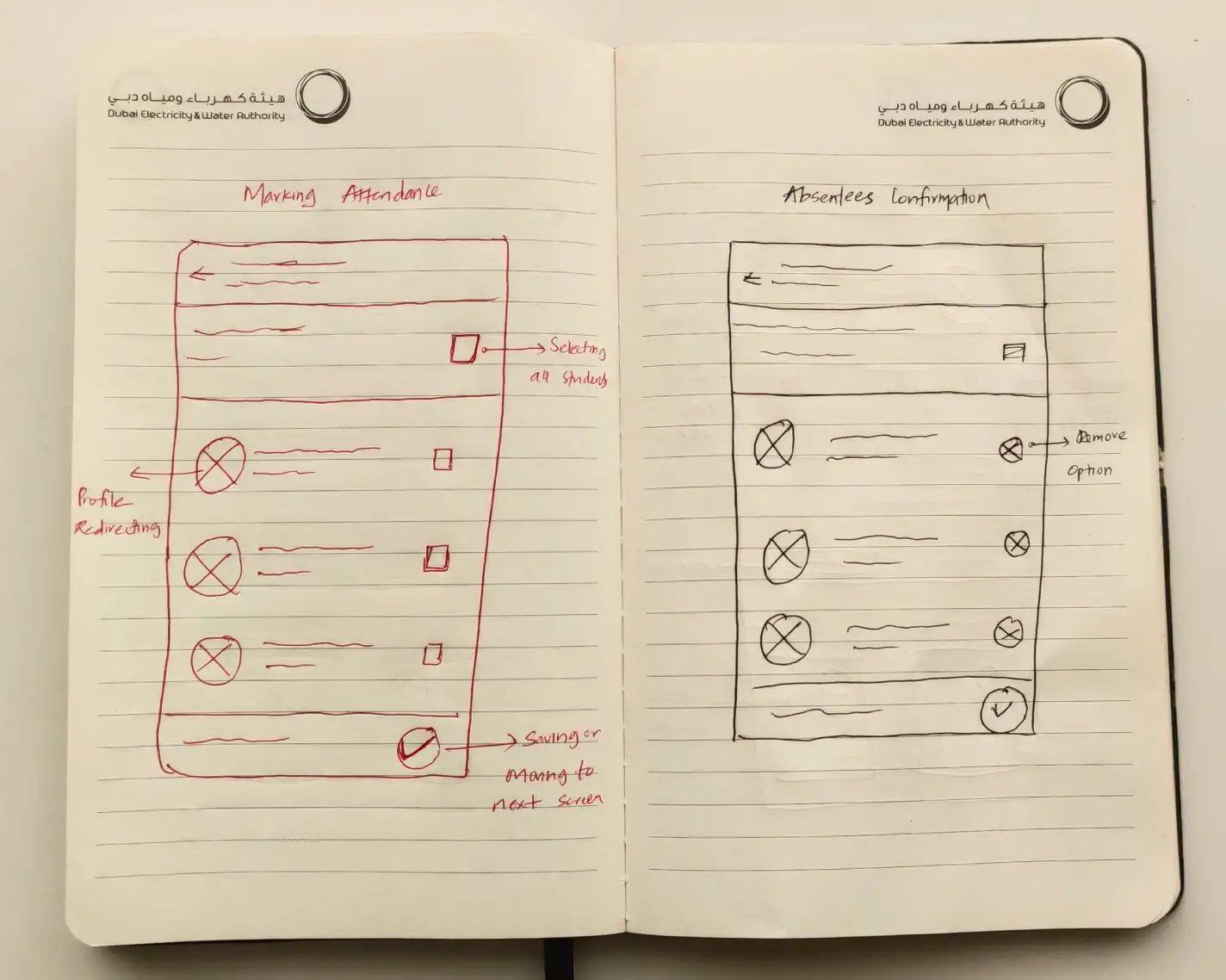
Several rounds on paper
I sketched with a sharpie and a sketchbook before opening any design tool. These are the homepage and attendance screens after several rounds.
05Final designs
Where it landed
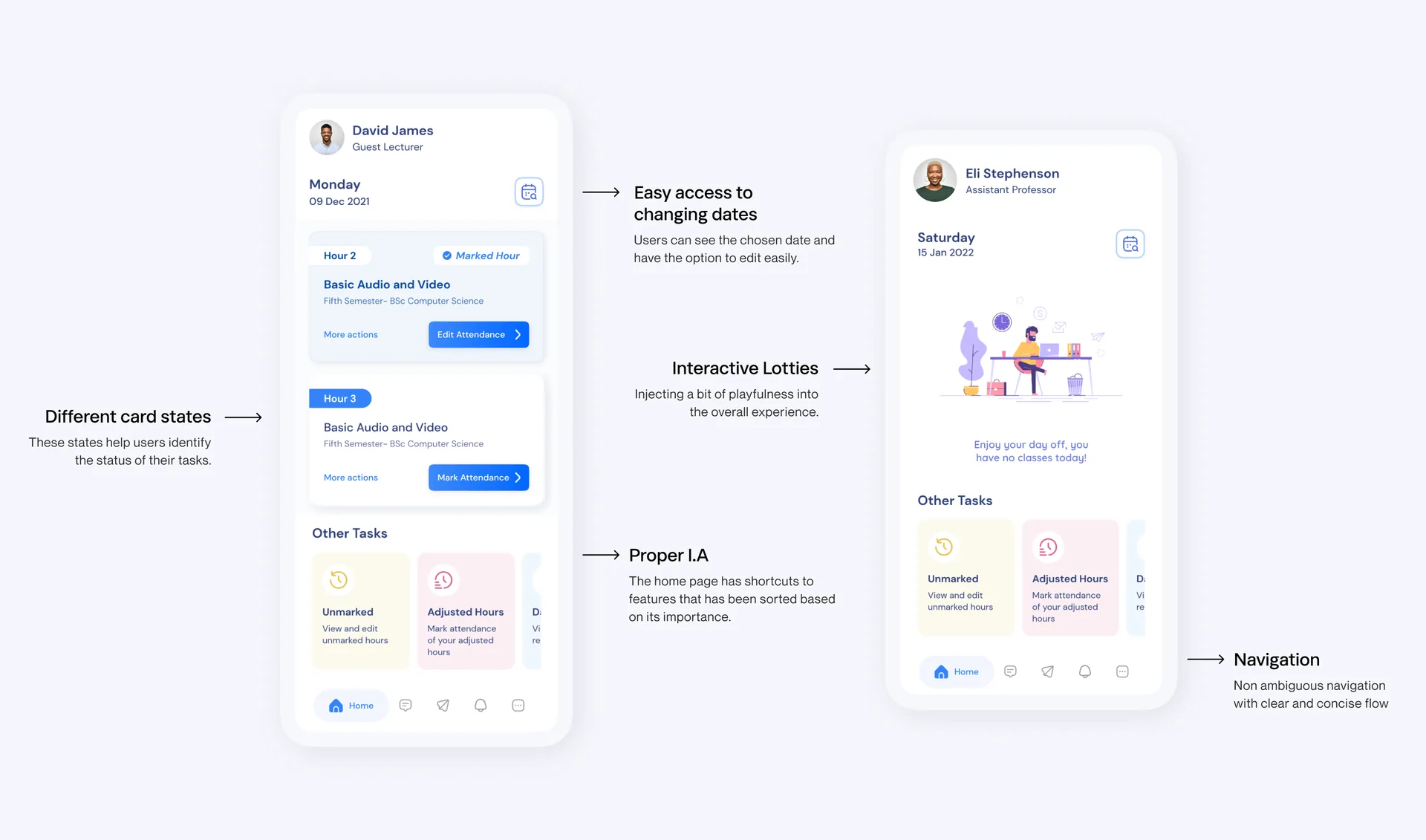
After sketching and wireframing, the visual design went through several rounds of review. [Input needed: who reviewed it, e.g. the client, teachers, students]
-
 01
01Homepage
I put the key features on the first screen, with no extra taps, because users asked for that.
-
 02
02Attendance
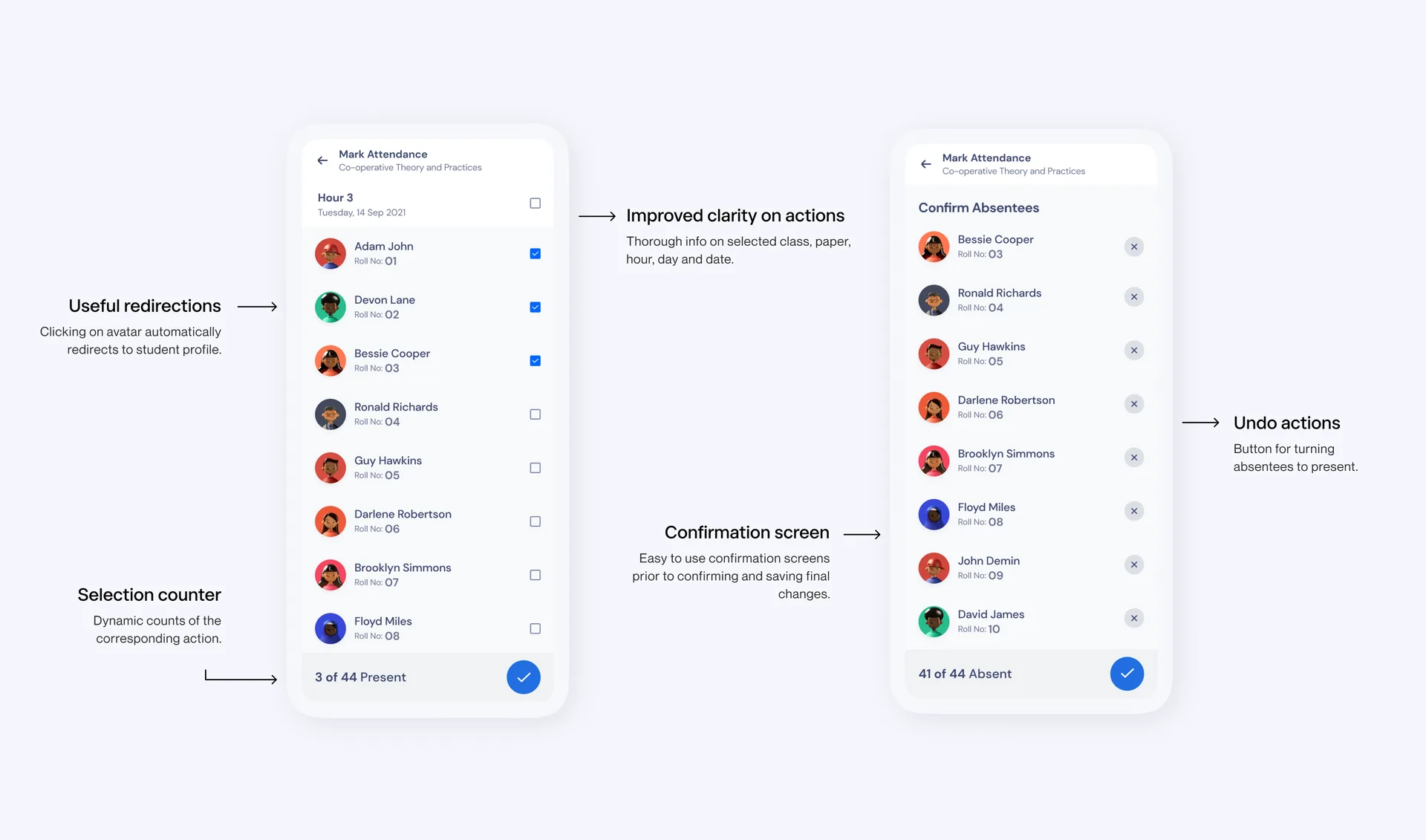
The one task teachers do every day, so it got the most attention. [Input needed: the one thing you changed, e.g. fewer taps, how students are marked]
-
 03
03User profiles
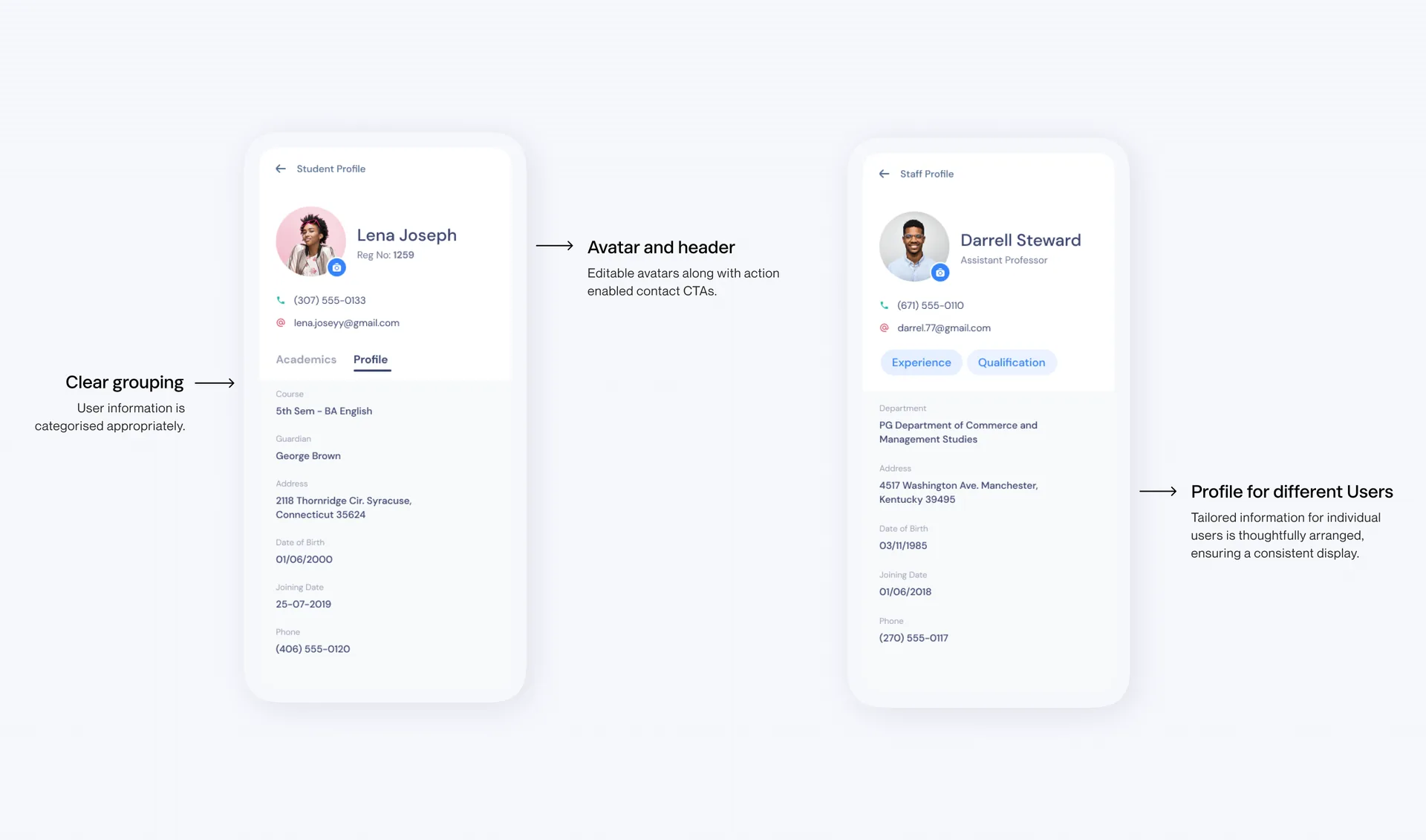
Every teacher and student has a profile with contact details, experience, and qualifications, visible only to people authorized to see it.
-
 04
04In-app messaging
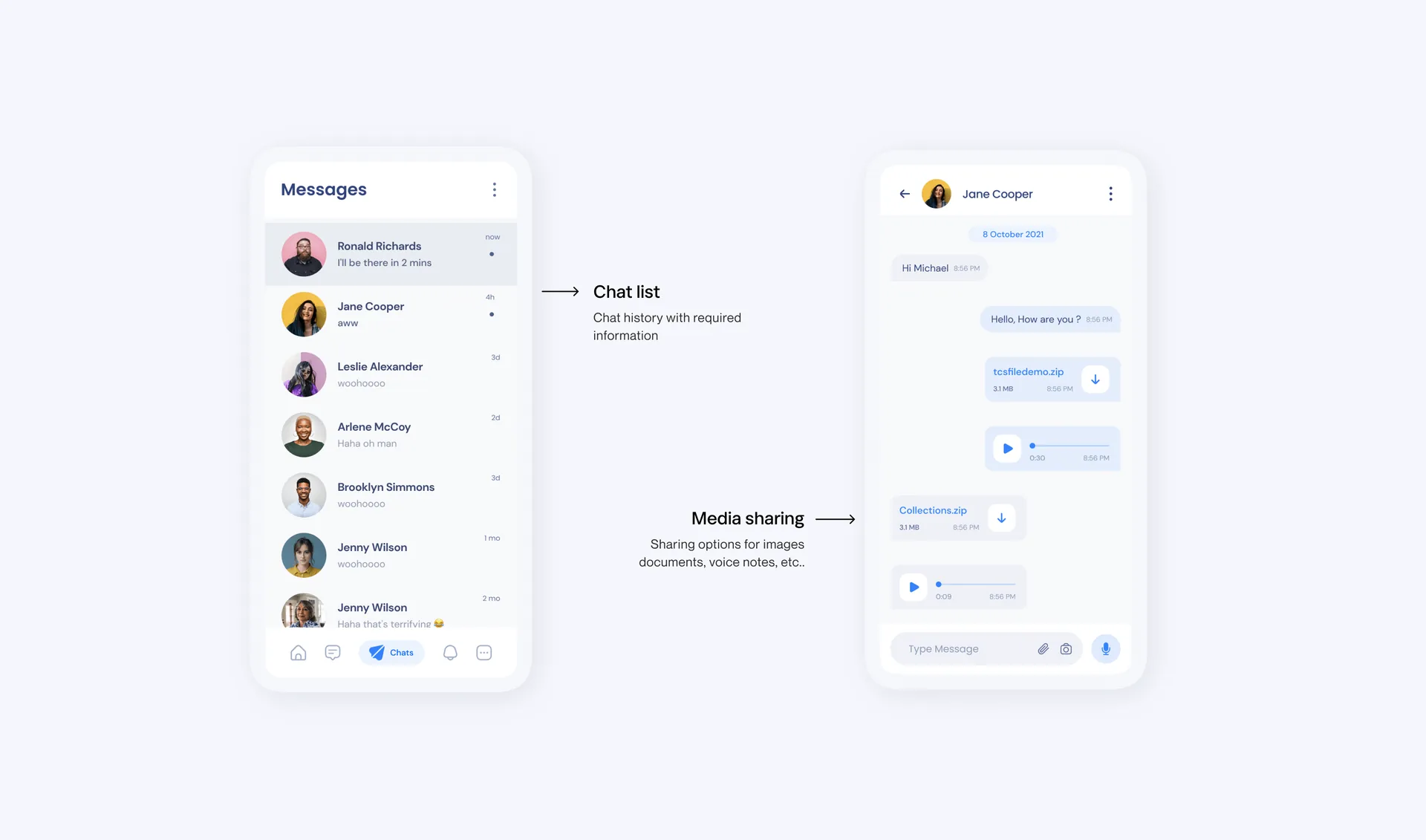
I modeled the chat on WhatsApp, because people already know how it works. It is for class discussions and quick questions.
-
 05
05Timetable and daily summary
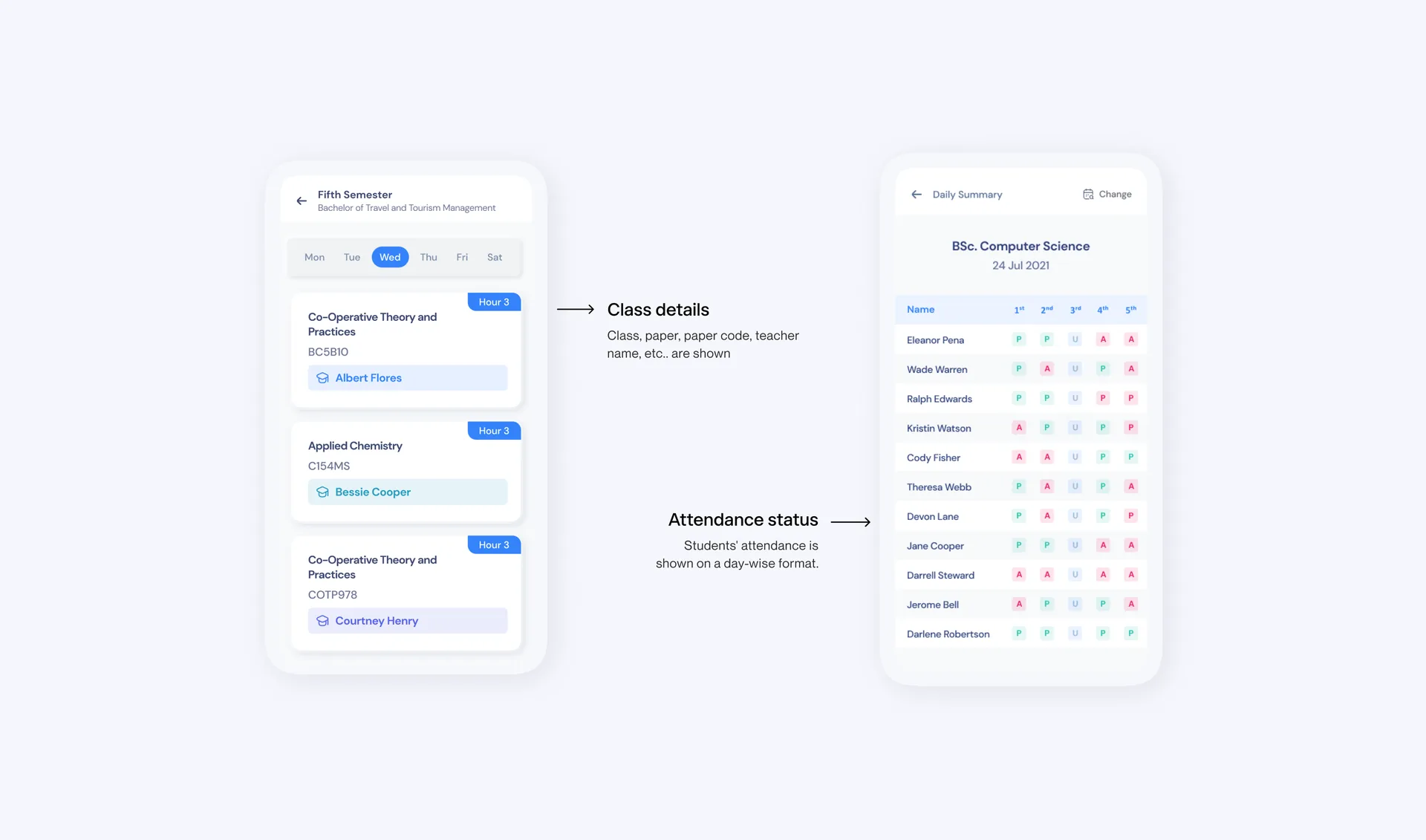
The two features clients asked for most: a view of the class schedule, and a way to keep an eye on student engagement.
-
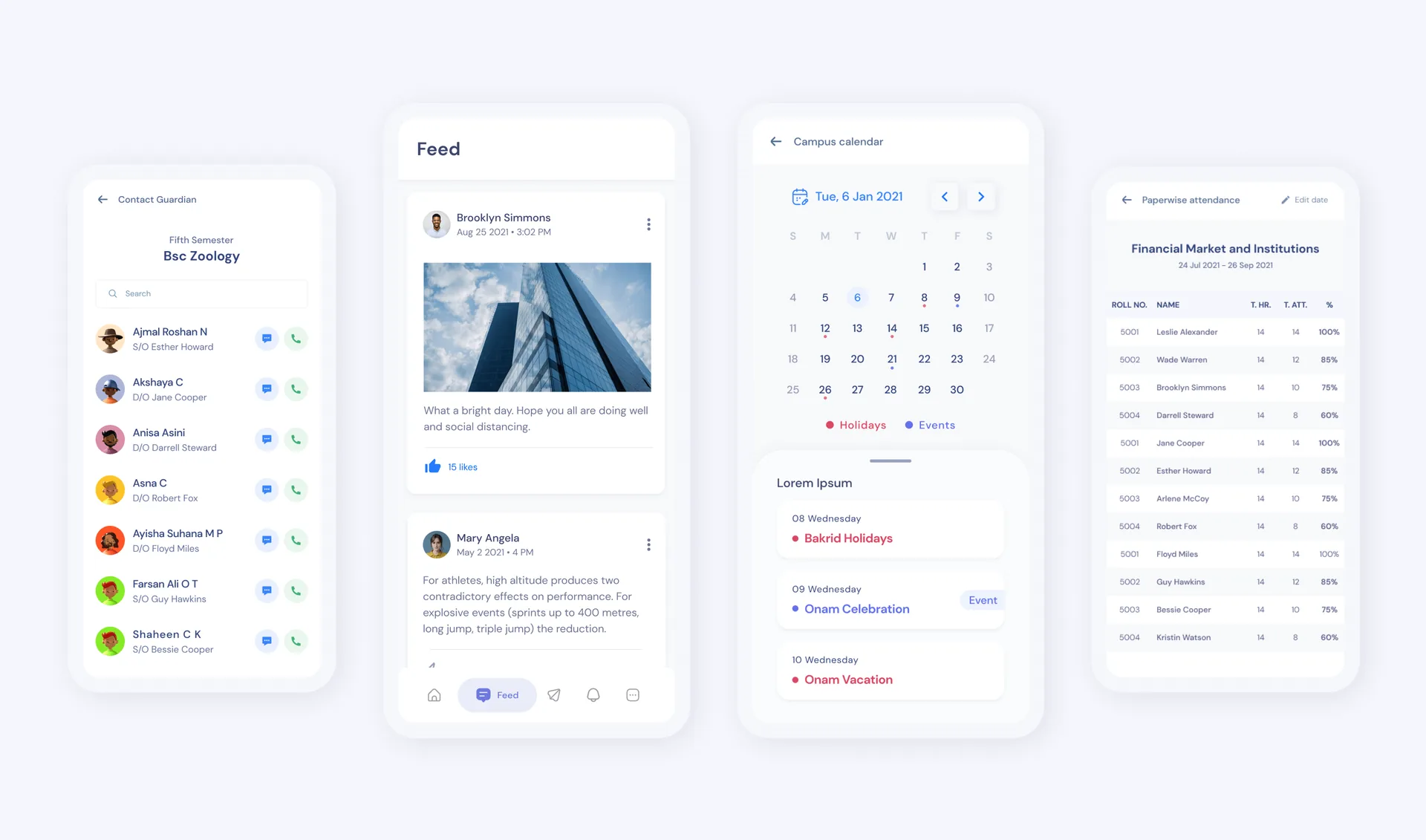 06
06Everything else
Contacts, a news feed, and a campus calendar round out the app.
06Results and reflection
What happened
[Input needed: did the redesign ship? If yes, one line, plus any real feedback from schools or users. If it didn’t ship, say so plainly in one sentence. Leave out anything you can’t back up. Then add one or two lines on what you would do next or differently.]
What I learned
- 01Talking to users changes everything
The interviews showed me problems no review would have.
- 02Cutting is a design decision
The app got better as much from what we removed as from what we added.
- 03Do the daily thing well
Attendance happens every day, so small savings there matter more than anywhere else.
It was my first UX project, and I owned all of it, from the first interview to the final screen.