A free tool built to bring in leads
Octo Optimizer · Freelance · November 2023
- Role
- Product Designer, the only designer on the project
- Client
- Thunderclap
- Duration
- 1 month
- Scope
- Workflows, wireframes, visual and interaction design
- Live app
- Octo Optimizer ↗
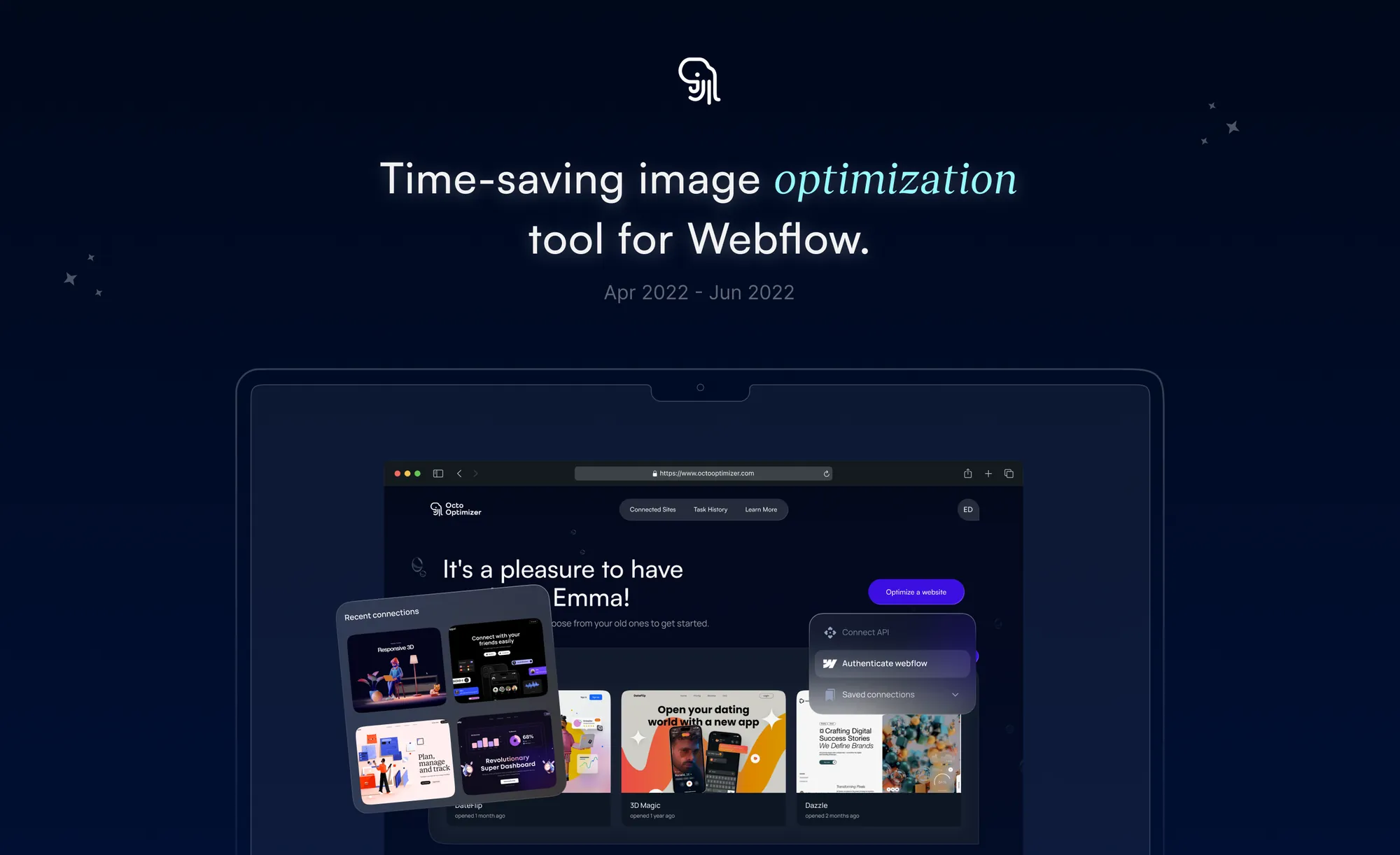
01The product
Octo Optimizer compresses the images on a Webflow site without losing quality, so pages load faster.
It was built for Thunderclap, a digital agency that helps mid-sized and large companies build scalable Webflow sites. It’s made for Webflow developers who want a simple tool, and it’s completely free.
I was the only designer. In one month I took it from brief to a live app, and early feedback has been positive.
02The goal
The tool wasn’t the product. The leads were.
Thunderclap wanted a free, easy-to-use tool that Webflow developers would actually reach for, and that would bring those developers to the agency. So the design had two jobs: be useful enough to share, and simple enough that nobody needed instructions.
03Who it’s for
Webflow developers, from seasoned professionals to people just starting out. What they have in common is that they want better-performing projects without extra work. [Input needed: how you learned about these users: Thunderclap’s brief, or direct conversations with developers?]
04Structure and layout
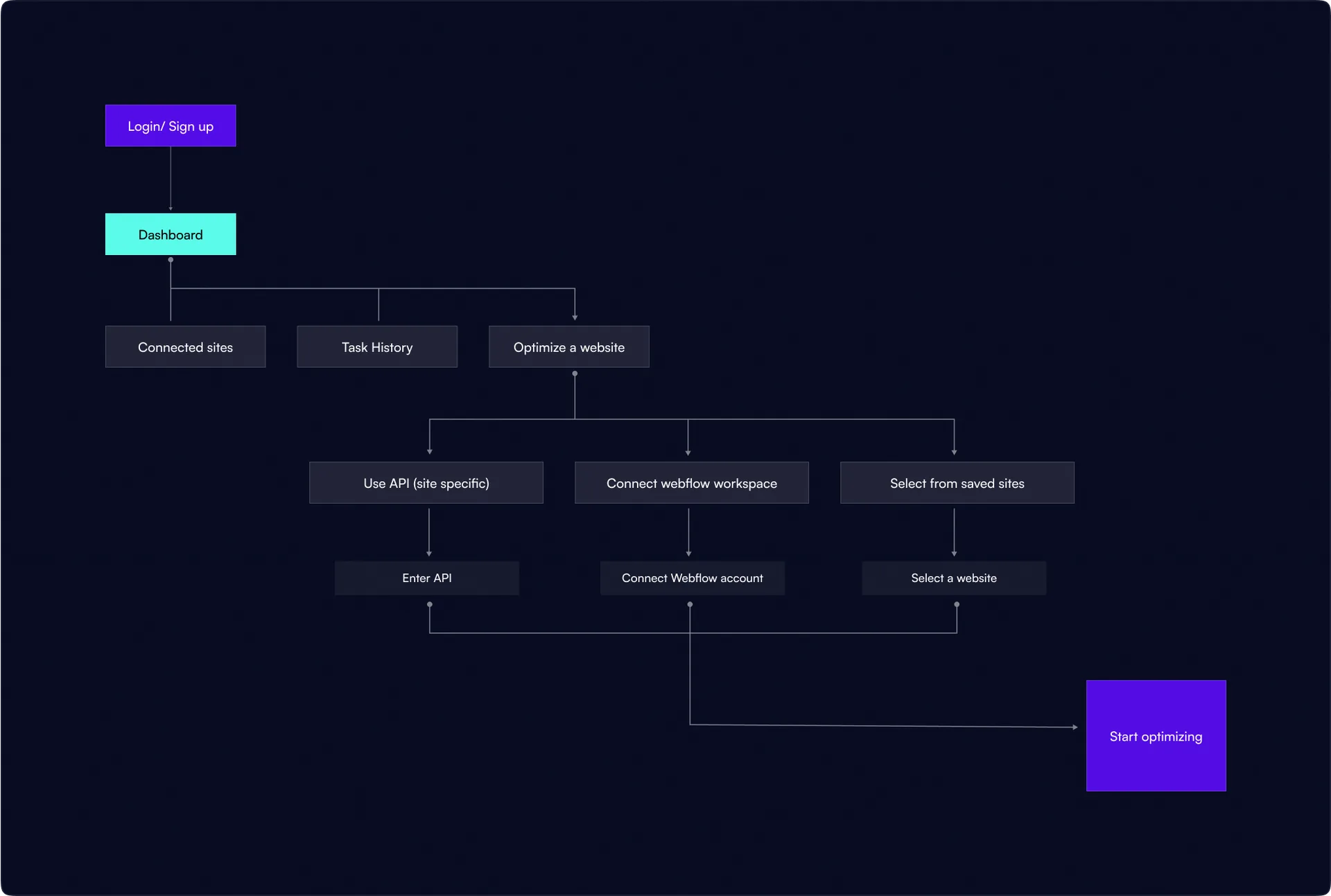
Starting with structure
I started with the flow, the information architecture, and wireframes.
Two layouts, one choice
With the structure settled, I sketched two layout options and tested them with the client and a few target users.
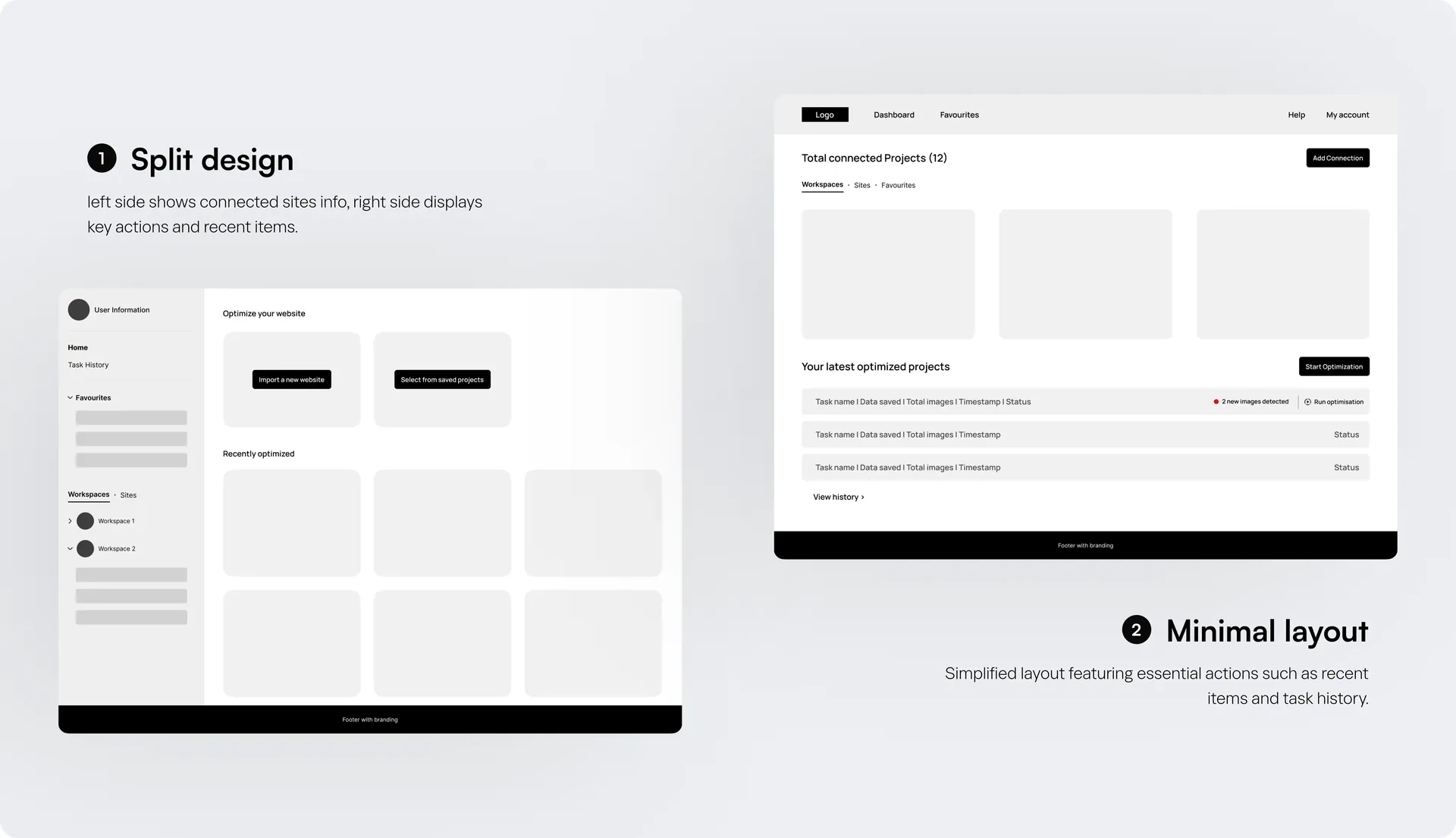
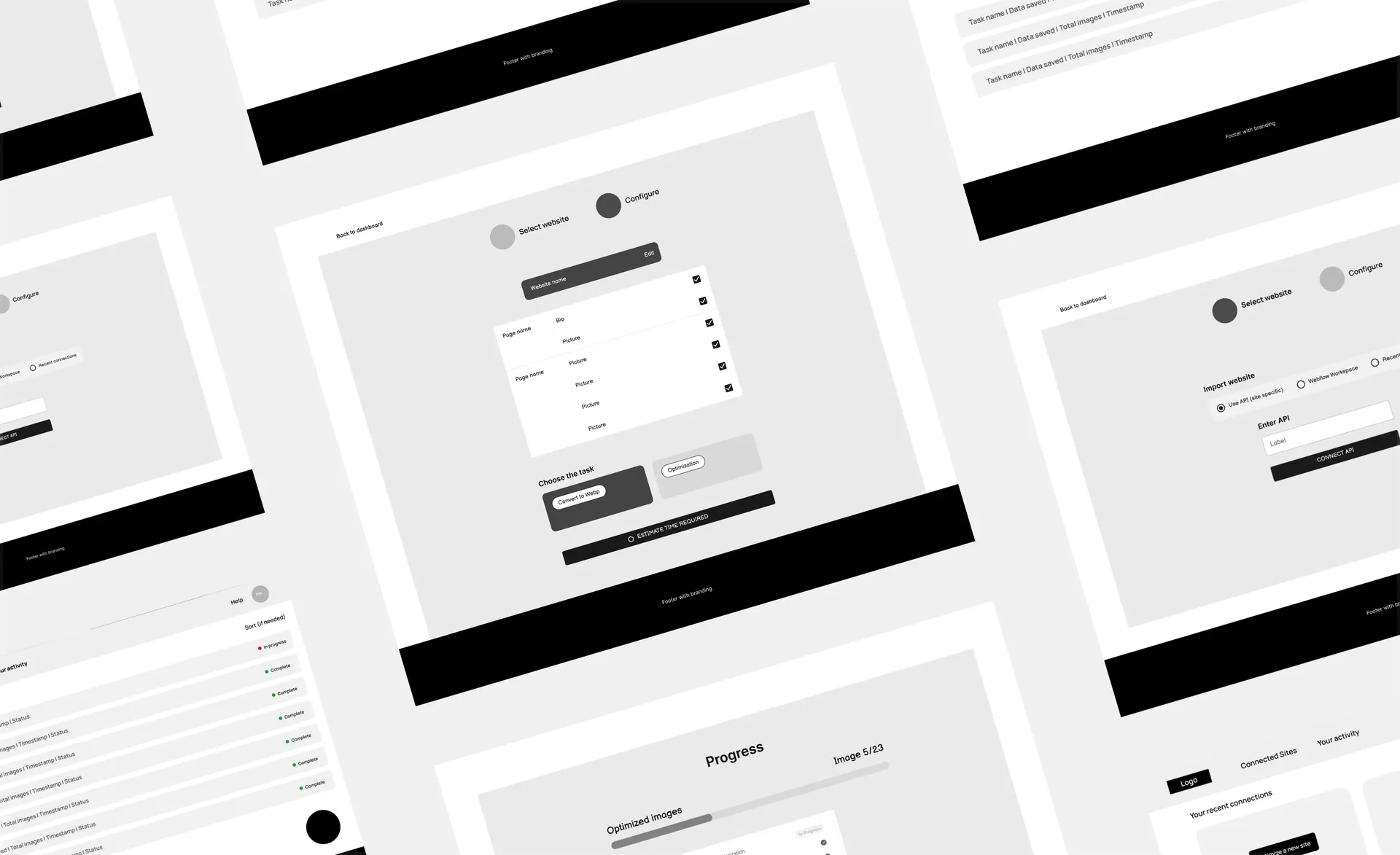
We chose the second. It was the smaller of the two, with only the essential features, which suited a simple tool. I designed the remaining flows from there.
[Input needed: one line on why the second won, e.g. what testers did or said]
05Visual design
Finding the look
I tried several visual directions before settling on one.
After feedback from stakeholders and a few users, we went with a dark-themed dashboard. [Input needed: one line on why dark worked, e.g. for developers, or to match Thunderclap’s brand]
06Final design
From sign-up to results
-
01
Login and sign-up
I kept Thunderclap’s branding visible but quiet, so the tool stays the focus.
-
02
Dashboard
I put recently connected sites and past tasks in one place.
-
03
Optimizing a site
The whole job from start to finish: add a website, then optimize it.
-
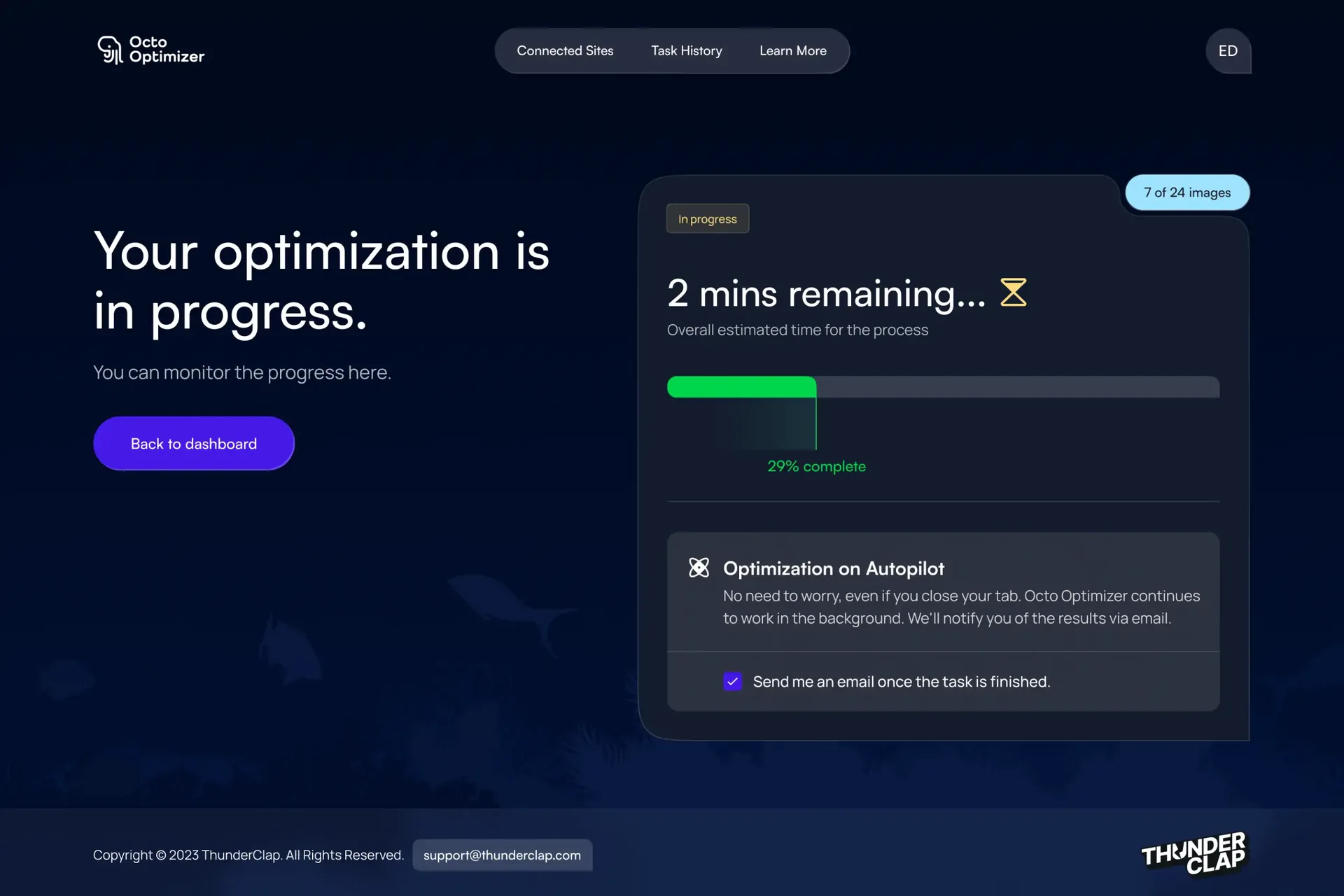
04
Results
Live progress while the optimization runs.
Details
Small design choices gave the tool a personality of its own. [Input needed: one or two real details, e.g. illustrations, empty states, micro-interactions, so this section says something specific]
07Mobile
On mobile
Optimizing can take a while, so I made the tool work on mobile too. People can follow progress away from their desks.
08Outcome
Live, with positive early feedback
Thunderclap and a few early users gave positive feedback. [Input needed: any real quote, number of users, or sign-ups, since this is where a real number would help most]
It was a one-month freelance job, and the first time I took a product from brief to live app on my own. [Input needed: what you would do next, e.g. what you would measure first]